Managers
The MapSwipe manager dashboard reuses MapSwipe app credentials, so every project manager account is linked to an existing contributor account. This page covers how that link is set up, how to sign in afterwards, and how access is revoked.
All project managers are listed in the Managers section on the manager dashboard home page; email addresses are kept private.
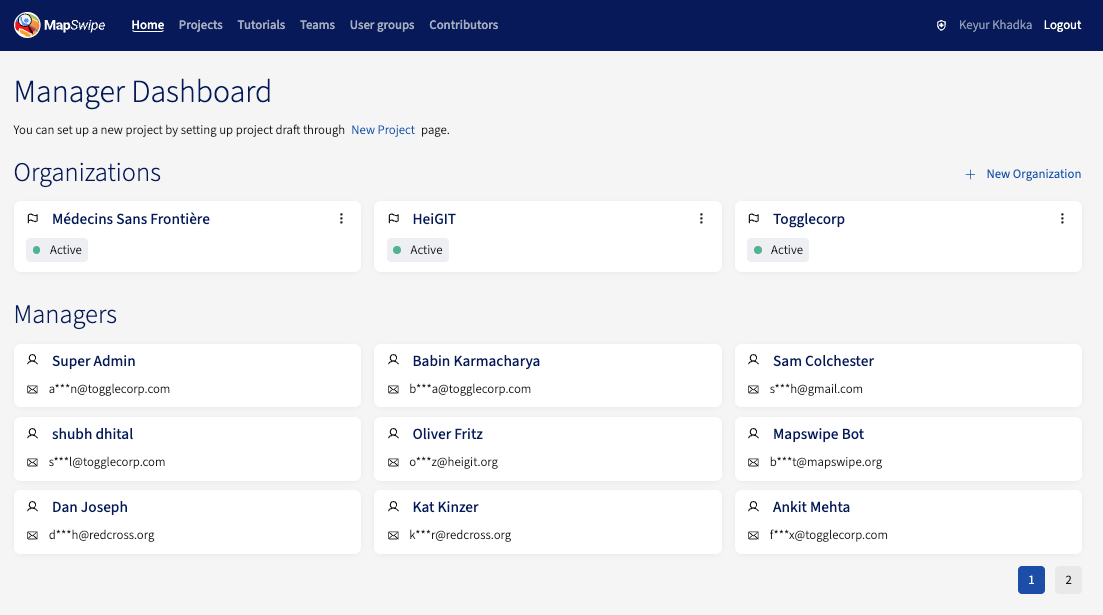
Becoming a project manager
Project managers sign into the manager dashboard with their MapSwipe app credentials. So before anyone can become a project manager, they must already have a MapSwipe app account (web or mobile) — referred to as a contributor user in the manager dashboard.
The super admin then creates a manager-dashboard user with the same email address the contributor signed up with after the following information are provided. Once the two accounts are linked, the user can sign in to the dashboard.
- Full name
- Organisation
- Contributor user email address
- Contributor user ID
- Community dashboard profile link
- Purpose
- Slack member ID
Responses land in a private Slack channel monitored by the governance team. Once the intent is confirmed, channel members reach out to the requester with an update and ask the super admin to create the manager account. The super admin then provisions the account and follows up with the requester.
Logging in as a project manager
Once your account has manager rights, sign in to the manager dashboard with the same email and password you use for the MapSwipe app.
Things to keep in mind:
- The contributor user’s email address must be verified.
- The contributor and project manager email and password are shared — they must remain identical.
- Resetting your password as a contributor also resets your manager dashboard password.
Note
If errors persist even when the details look correct, contact the super admin.
Removing a project manager
Manager access is revoked by the super admin, mirroring how it’s granted. To request a revoke, contact the super admin with the user’s contributor user ID and email address.