Project Type - Validate Footprints
An image with a footprint overlay. The question is whether this footprint is correctly approximating a structure on the shown image, which can be answered with yes, no or Not sure. Additionally, a button is shown which hides the footprint overlay.
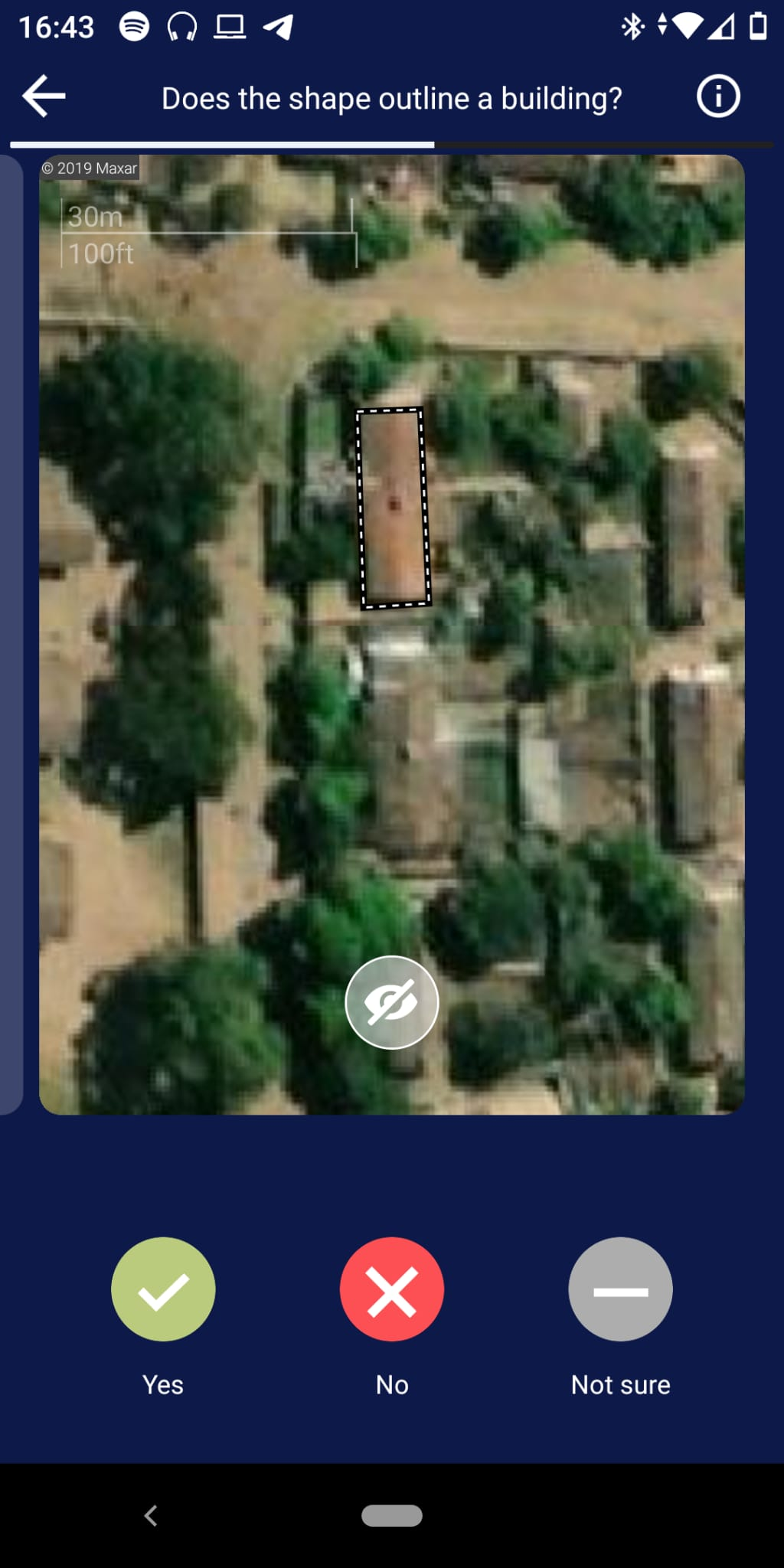
Validate Footprints projects have projectType = 2.
Project
Validate Footprints can be supplied with geometries in three separate ways.
- by specifying a HOT Tasking Manager Project ID and an object filter
- by specifying an url to the data (e.g. an ohsomeAPI call)
- by uploading an aoi and an object filter
In addition to the common project fields documented in the data model, Validate Footprints projects carry the following project-type-specific fields:
| Parameter | Type | Description |
|---|---|---|
| tileServer | object | Raster tile server configuration used as the imagery background — includes a server name, url, credits, and an optional apiKey. |
| inputType | enum (string) | How the input geometries were supplied. One of aoi_file, link, TMId — corresponding to the three creation methods above. |
| TMId | string (optional) | The HOT Tasking Manager project ID, when inputType = TMId. |
| filter | string (optional) | The ohsome filter expression, when applicable. |
| customOptions | list (optional) | Optional custom answer options shown to the contributor (each with a value, title, description, icon, iconColor, and optional sub-options) — overrides the default Yes/No/Not sure choices. |
Group
Validate Footprints groups have no project-type-specific fields beyond the common group fields. Each group is identified by:
| Parameter | Type | Description |
|---|---|---|
| groupId | string | ID of the group. |
Task
| Parameter | Type | Description |
|---|---|---|
| taskId | string | ID of the task. |
| geojson | object | GeoJSON polygon (typically a building or other feature outline) for the user to validate against the imagery. |
Result
Results follow the common result shape, with results: dict[str, int] keyed by taskId. The integer values come from each custom option’s value.
When the project creator does not supply customOptions, the backend falls back to the following defaults:
| Value | Title | Description |
|---|---|---|
0 | No | The shape doesn’t match a building in the image. |
1 | Yes | The shape does outline a building in the image. |
2 | Not Sure | You’re not sure or there is cloud cover / bad imagery. |
3 | Offset | Building outline is correct, but not aligned to the imagery. |